

What is a Render Farm and Why Every 3D Artist Worldwide Needs One
Updated: Apr 7
A Render Farm: Your Gateway to Efficient 3D Rendering
A render farm is a network of high-performance computers that work together to generate 3D images far faster than a single machine.
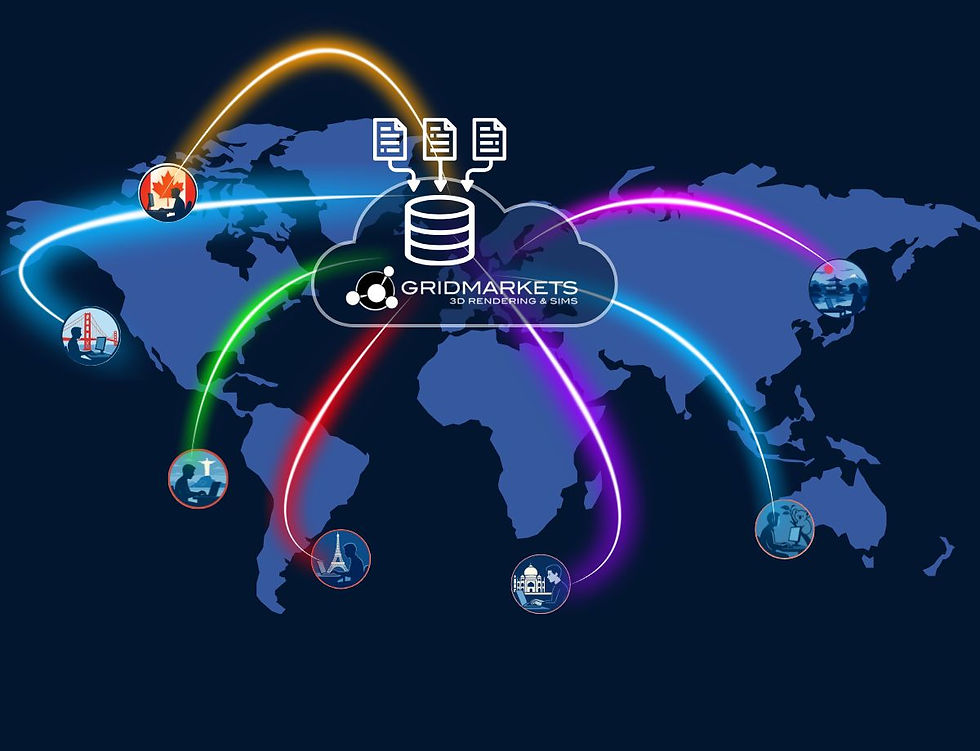
Cloud render farms, like GridMarkets, Ranch Computing, Rebus, and Fox, distribute rendering workloads across dozens, hundreds, or even thousands of nodes simultaneously. Artists and studios across the globe use these services to accelerate VFX, animation, and architectural visualization projects.
A render farm turns a single workstation into a high-performance production team. It completes complex shots and simulations in hours instead of days, without slowing down your workflow.
Cloud render farms host the computing infrastructure remotely. You submit your scene over the internet, the farm processes it, and the finished frames return to your project folder. You can continue working locally without any interruption.
How Does a Cloud Render Farm Work?
Cloud rendering accelerates complex 3D workflows. It allows artists and studios worldwide to complete high-quality renders and simulations in a fraction of the time. Here’s what happens when you submit a job to a cloud render farm.
Step 1 — Prepare Your Scene
Package your 3D scene, including geometry, textures, lighting, simulation caches, and all dependencies. Most cloud render farms, including GridMarkets, automatically detect and upload required assets with DCC-specific plugins. A preflight can be used to ensure nothing is missed.
Step 2 — Submit Your Job
Using your 3D software plugin, select the software version, frame range, resolution, and preferred machine type. Advanced systems, like GridMarkets’ Envoy, upload only new or modified files and compress small assets to save time and bandwidth.
Step 3 — Distributed Rendering
Once the job is uploaded to the cloud render farm, a job manager efficiently queues and assigns tasks to available nodes. The farm splits your project into individual frames and assigns each to a separate render node. All nodes render simultaneously. Cloud render farms can scale from dozens to hundreds of high-performance nodes, depending on your project requirements and plan.
Step 4 — Delivery & Download
Completed frames are made available for download. Tools like Envoy automatically handle downloads to your specified output folder. You can even log out or continue working locally while your project completes in the cloud. Results are downloaded in the background when you log back in.
When Should You Use a Render Farm?
Not every project needs a cloud render farm, but they are necessary when:
Key Benefits of a Render Farm
Cloud rendering farms are more than faster machines - they are scalable on demand.
Tips to Get the Most From Your Cloud Render Farm
Submitting a job to a cloud render farm is simple. However, getting the best results requires a little planning. Here are the most important practices:
Do I need to be a technical expert to use a render farm?
No. Most modern cloud render farms, including GridMarkets, provide plugins that integrate directly with your 3D software. This means you can submit jobs without leaving your DCC software. Setup usually takes a few minutes, and support teams are available for assistance.
How can I optimize my assets before uploading?
Check your textures, simulations, and caches to ensure only necessary files are included. Many render farms like GridMarkets also compress small files and only upload changed assets, saving bandwidth and upload time.
How is cloud render farm pricing calculated?
Pricing is usually based on the number and type of nodes used. You only pay for what you use. Many platforms, including GridMarkets, include data transfer, storage, and software licenses in their pricing.
Is my data secure when sent to a cloud render farm?
Yes. Reputable render farms encrypt all file transfers and store project data securely, isolated from other users. Your creative work is never shared or used for purposes other than processing your render or simulation.
Can a render farm handle simulations, not just renders?
Some advanced cloud render farms like GridMarkets support simulation workflows such as Vellum, DOPs, and volumetric fluid solvers. You can submit both simulations and renders in complex dependency chains.
Which node type should I choose?
It depends on your render engine and scene complexity. GPU nodes are faster for supported engines like Redshift, Cycles, or Arnold GPU, while CPU nodes work well for engines optimized for CPU.


Comments